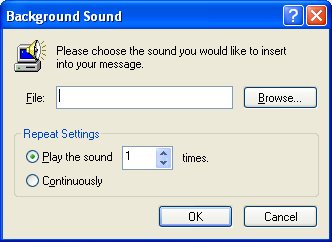
Step 3: When you click
"Sound" a new window will open, as shown below. Choose whether you want the
music to play 1 or more times, or continuously for the mail recipient.
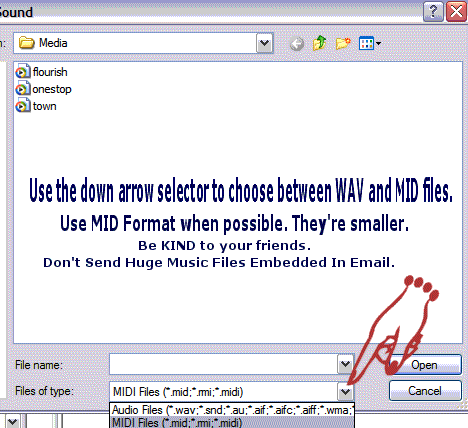
- Use the "Browse" button to look on your system
for the midi or wav file you want to use. You will have to browse to the folder that you
have your music files saved in, so be sure you know the name and location of where you
keep them! For those of you that are new to computers, we suggest you save your
sound files to "My Documents, My Music" as this folder is already created for
you.
- Once you find the sound file you want to use (mid or
wav only), just double click it then choose "OK." You will be returned to your
letter... go ahead and type your message and send!
|