These pages will show you how to change your font colors in email to other colors than the
16 colors that are offered in Outlook Express.
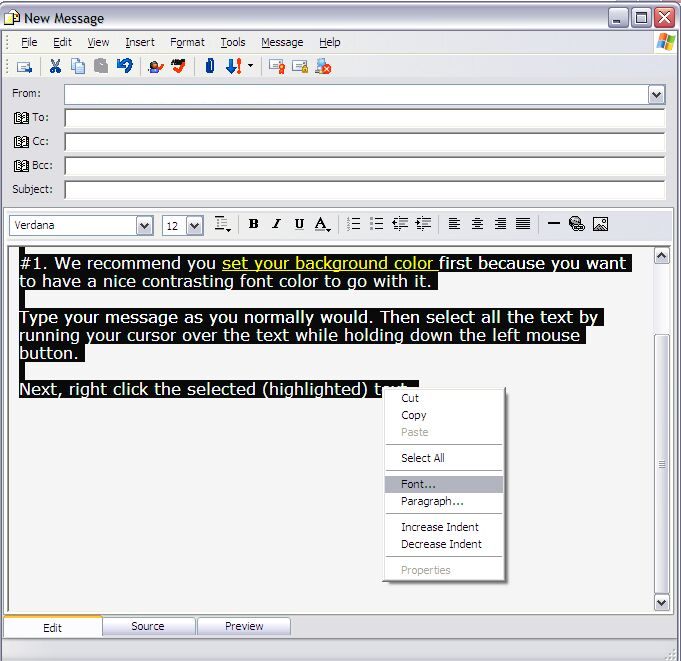
Here is a message shown in the standard compose Window.
Type your message and then highlight all the text by right-clicking in your message and
choosing "select all" from the menu which appears. Or if you don't want to
change all the text, select the text you want to change by dragging your cursor over it
while holding down the LEFT mouse button. Once the text is highlighted right-click on
the selected text and choose "font" from the menu and then color. We're
going to graphically show you the steps. Here is the message with the text already
selected (highlighted). Click on the button at the bottom of this page to proceed to the
next picture.