How to Install
Cloudeight Screensavers automatically install and will be your default screensaver! If you install one of our Premium Screensavers, you may have to choose it to play depending on your system settings. Just choose the one you want to install, click the download button, and choose "Download this file from location." Choose "Open" if you are using Internet Explorer 6.0 or later. The file will now automatically sets itself up and will automatically be the screensaver your system will use!
See below for pictures:
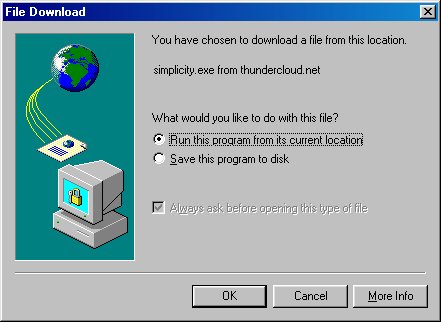
In Internet Explorer 4.72 and 5 versions, this is the window that will popup when you click download. Make sure the little circle next to "Run this program from its current location" is checked so that your screensaver will automatically install.
In Internet Explorer 6 and newer version, this is the window that will popup when you click download. Make sure you choose "Open" so that the screensaver will automatically install.
Close Window